
Choosing a Language Setting in Sidekick

Sidekick includes a language selection feature to help improve accuracy when transcribing and processing visits. Selecting the most appropriate option for your needs can give you the best possible experience.
What Does the Language Setting Do?
This setting tells Sidekick what languages may be spoken in your recorded visits. Choosing the right option allows Sidekick to more effectively handle accents, speech patterns, and language-specific phrasing.
Where to Find This Setting
To keep your workspace clean, the language selection dropdown no longer displays on the recording screen itself. It can be viewed and adjusted at any time directly within your Sidekick Settings.
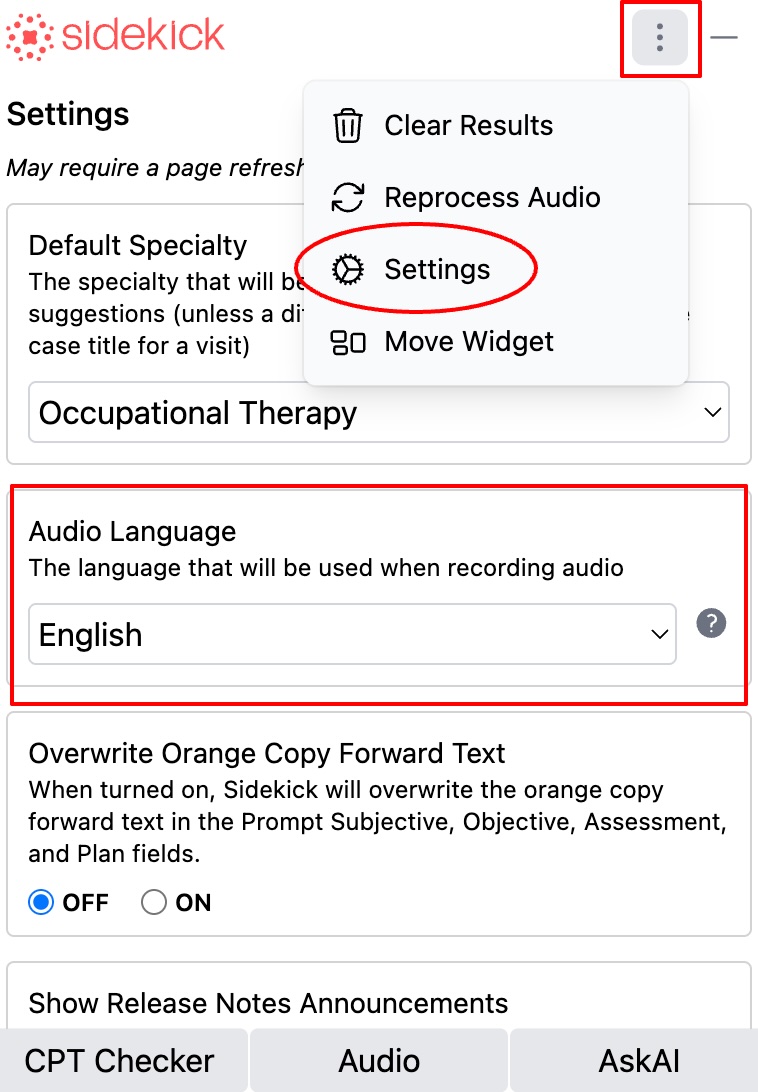
Setting Up Your Language Profile
- If you are an existing Sidekick user: We have already updated your database settings. If you have ever used a multilingual option in the past, your account has automatically been set to our broadest language option.
- If your account was created after June 5, 2026: The first time you log into Sidekick on a new device, you will be asked to set your language using the prompt shown below.
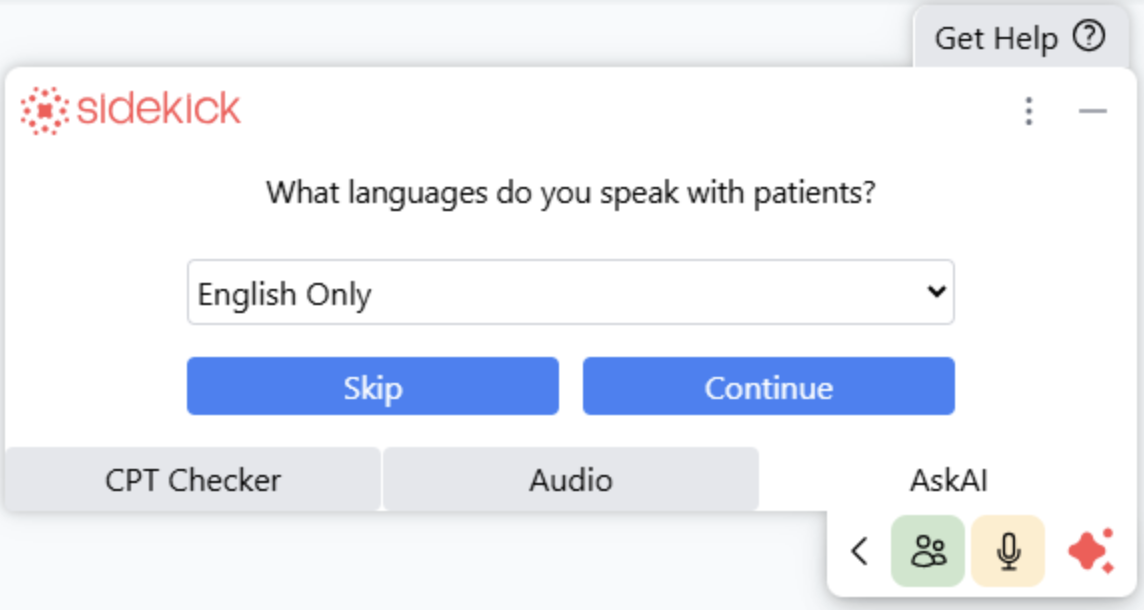
Our Recommendations
Select the option that best reflects the languages typically used during your visits:
- English: Choose this if your visits are recorded only in English.
- English and/or Spanish: Choose this if your visits may be in English, Spanish, or a mix of both.
-
English, Spanish, & More: Select this option if your visits sometimes include other languages (especially if they’re listed in our supported languages).
💡 You don’t need to change this setting for each visit. If you occasionally use another language, it’s fine to keep a broader setting like “English and/or Spanish” or “English, Spanish, & More.”
Not Sure Which to Pick?
Most users will be fine sticking with “English”, since the majority of Sidekick users record exclusively in English.
If you choose a broader option than needed, that’s okay too — it won’t negatively affect performance.
If you have questions about the language setting or need help choosing the right one, feel free to contact our support team at support.sidekick@prompthealth.com